Stop RSVP Chaos: 3 Ways Parents Can Build a Bar Mitzvah Website
A Bar Mitzvah website has one job: centralise every event detail in one place, collect RSVPs without the back-and-forth of forty separate phone calls, and explain what happens at the ceremony so guests who’ve never set foot in a synagogue don’t feel lost. That’s it. Whether you build it yourself on a one-page template or commission a managed site from a developer, the test is the same: does it answer questions before people have to ask them?
TL;DR:
- Most parents overlook detailed RSVP options, risking catering chaos from vague meal choices and unclear guest counts, so precise forms are essential.
- Building the site three months before and testing RSVP exports two weeks prior helps prevent last-minute questions and data loss.
- A simple dropdown menu for dietary needs and separate RSVP links for each event reduce confusion and streamline guest management.
- Use a mobile-first design with clear ceremony explanations and accessibility notes to ensure all guests feel included and well-informed.
- Choosing a platform with easy data export, strong security features, and reliable support is crucial to avoid technical issues before the celebration.
Table of Contents
- Essential features every Bar Mitzvah website needs
- How do you actually build the site? Three routes compared
- When should you start building your Bar Mitzvah website?
- Making the ceremony welcoming to guests who don’t know Judaism
- Handling guest data and RSVPs without the headaches
- Design and theme ideas that actually suit a Bar Mitzvah site
- Which website builder actually suits a Bar Mitzvah site?
- How to add photos and video without slowing the site down
- How do you stop spam RSVPs and keep the site secure?
- What most parents get wrong (and how to fix it)
- Want a Bar Mitzvah website without doing it yourself?
- Sources
- FAQ
Essential features every Bar Mitzvah website needs
Before you touch a template or brief a developer, work out what the site actually has to contain. Most parents underestimate this until they’re three weeks out and realising half the guest list still doesn’t know where the venue is.
The core pages are straightforward:
- Event summary — date, time, venue name and address, in plain sight on the homepage.
- Timetable — service start, kiddush lunch, evening party, so guests can plan their day.
- Ceremony notes — a short explainer on what to expect (more on this below).
- Travel and accommodation — parking, nearby hotels, public transport links.
- Contact details — one email or phone number for questions, so people aren’t guessing who to ask.
- RSVP form — the page that actually earns the site its keep.
Your RSVP form needs more than a yes/no toggle. Ask about attendance per event (service, lunch, evening do can have different guest lists), meal choice, dietary needs with a free-text “other” box, and plus-ones by name rather than a headcount. Vague fields cause exactly the kind of catering chaos that ruins a caterer’s morning and your afternoon.
Beyond the basics, a few extras lift the site from functional to genuinely useful: an optionally password-protected page for close family details, a photo gallery that grows as the big day approaches, a registry or charity donation link, a printable programme, and a QR code on the paper invites that jumps straight to the RSVP page. Design it mobile-first, since most guests will open the link from a phone in a group chat, not a desktop browser. Add a short privacy note near the RSVP form too. Even two sentences explaining how the data is stored and who sees it goes a long way with data-conscious relatives.
How do you actually build the site? Three routes compared
There are three realistic paths here, and the right one depends on how much time you have and how fussy you are about the finished look.
- A one-page template. Fast, cheap, and fine for smaller, simpler events. You fill in text boxes, pick a colour scheme, and you’re live within a day. The trade-off is limited customisation. Password protection, sub-events and multi-language guest instructions are often missing or clunky.
- A hosted event-builder platform. These sit between DIY and bespoke, offering templates, RSVP handling and sub-event management out of the box, which event platforms like RSVPify build entire products around. The catch is usually data export and branding control. Some platforms make it awkward to pull your guest list into a spreadsheet, or plaster their own logo across your invite page.
- A bespoke developer or agency build. This gets you full customisation, proper password protection, and integrations that match your invitations exactly, but you’ll pay more and wait longer for turnaround.
Before committing to any route, run through a short checklist: can you export your RSVP data as a CSV whenever you need it, is password protection genuinely available (not just promised), has anyone tested the site on a phone, and is there a real person to contact if something breaks two days before the party?
Pro Tip: Test your RSVP form by sending it to one relative outside the immediate family first. They’ll spot the confusing bit you missed.
When should you start building your Bar Mitzvah website?
Ceremony requirements vary between communities, so United Synagogue advises consulting your rabbi or rebbetzen early before you start writing content for the site, since the details of the service itself will shape what you explain to guests.
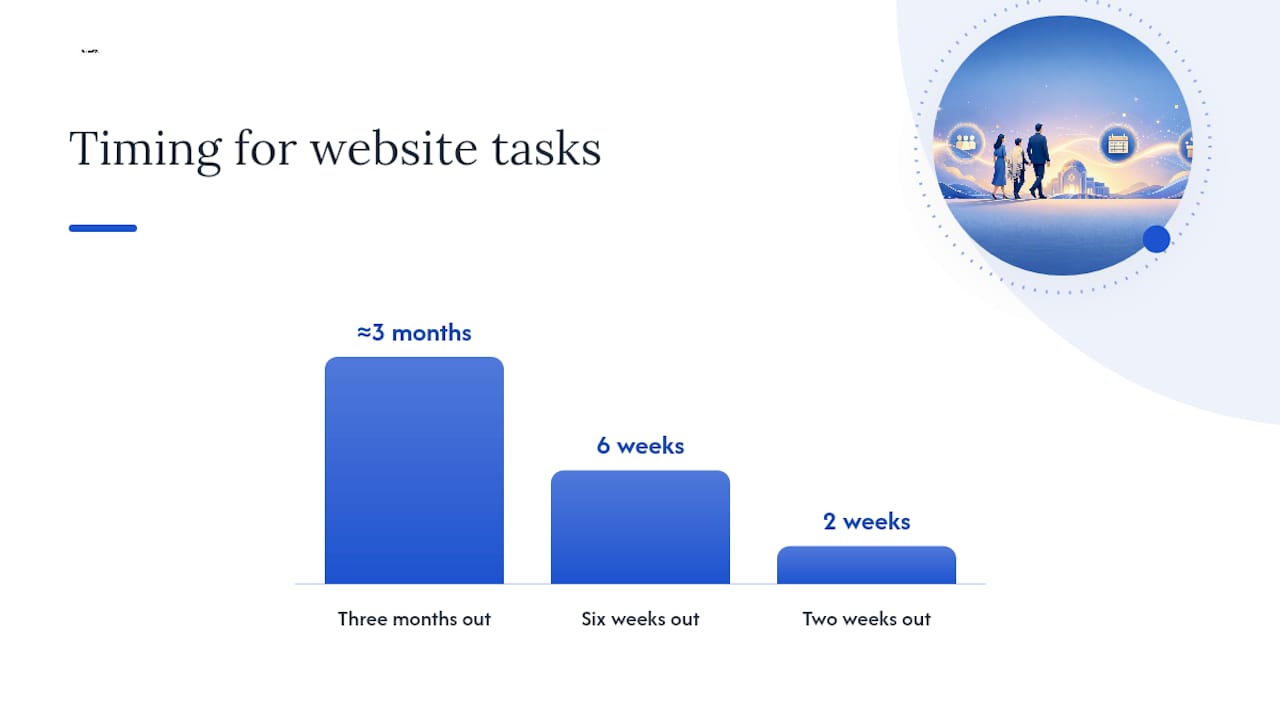
A workable timeline looks like this:
- Three months out: confirm ceremony details with clergy, gather venue information, start drafting the mitzvah project blurb, and rough out the guest list.
- Six weeks out: finalise photos, write the “what to expect” section, open RSVPs, and put the QR code onto printed invites.
- Two weeks out: test the RSVP flow end to end, confirm you can export the guest list, and back it up somewhere other than the platform itself.
Costs vary widely by route. A one-page template typically sits at the low end. Hosted event-builder platforms fall in the middle once you factor in premium tiers. Bespoke developer builds typically cost more but usually include hosting and support as part of the price. Whatever you choose, don’t skip the export and backup step. Losing your RSVP data a fortnight before the party because a platform locked you out is not a story anyone wants to tell.
Making the ceremony welcoming to guests who don’t know Judaism
A good chunk of your guest list may never have sat through a Bar Mitzvah service. That’s not a problem to hide from. It’s a chance to make people feel genuinely included rather than politely confused.
Add a short glossary or “what to expect” section explaining terms like aliyah, kiddush, and what the dress code actually means in practice (smart, modest, kippot available at the door for anyone who wants one). 18Doors notes that this kind of website content is a practical tool for interfaith families, reducing anxiety for guests who might otherwise skip the service out of embarrassment about not knowing when to stand or sit.
Use gender-neutral language where it fits, and offer accessibility notes and accommodation options clearly, since Keshet recommends signalling an inclusive environment proactively rather than waiting for someone to ask.
- Explain the mitzvah project and any charity work with warmth, not a fundraising pitch.
- Offer a large-font or audio version of the programme for guests who need it.
- State pronoun and accessibility guidance plainly, not buried in a footer.
Pro Tip: A two-line “what to wear and what to expect” box near the top of your site prevents more awkward moments than any amount of detailed etiquette advice further down the page.
Handling guest data and RSVPs without the headaches
Keep it simple: collect only what you need, say so in a short privacy notice, and decide upfront how long you’ll keep the data after the party. Nobody needs your Auntie Sheila’s dietary requirements sitting on a server in three years’ time.
Export options matter more than people expect. A single, exportable guest list, treated as the canonical source RSVPify recommends rather than a mix of texts, emails and a notebook, saves you from double-counting when the caterer calls asking for final numbers.
- Set mandatory fields for meal choice and accessibility needs where relevant, with an “other” box for anything unusual.
- If you’re running multiple sub-events (service, lunch, evening party), let guests RSVP to each separately.
- Test the whole RSVP flow yourself before it goes live, not after the first ten replies come in wrong.
- Freeze a final guest list cut-off date and put it on the site in plain text, not buried in an email thread.
Design and theme ideas that actually suit a Bar Mitzvah site
Forget generic wedding-style templates. A Bar Mitzvah site should reflect the child’s personality without turning into a birthday party page. Popular directions include a clean, modern look built around a Hebrew name or motif, a sports or hobby theme tied to whatever the child’s actually into, or a simple palette lifted straight from the party decor so the site and the room feel connected.
Keep the ceremony-facing pages (timetable, ceremony notes) visually calm and easy to read, even if the party page goes bolder with colour and photos. Mixing a playful party theme with clear, uncluttered ceremony information works better than forcing one loud design across every page. Typography matters more than people think here. A elegant, readable font for the “what to expect” section signals respect for the occasion, while the party page can afford more personality.
If you’re going the bespoke route, a developer can carry your invitation design across to the website so paper and digital feel like one coherent set, rather than two projects that happen to be about the same day.
Which website builder actually suits a Bar Mitzvah site?
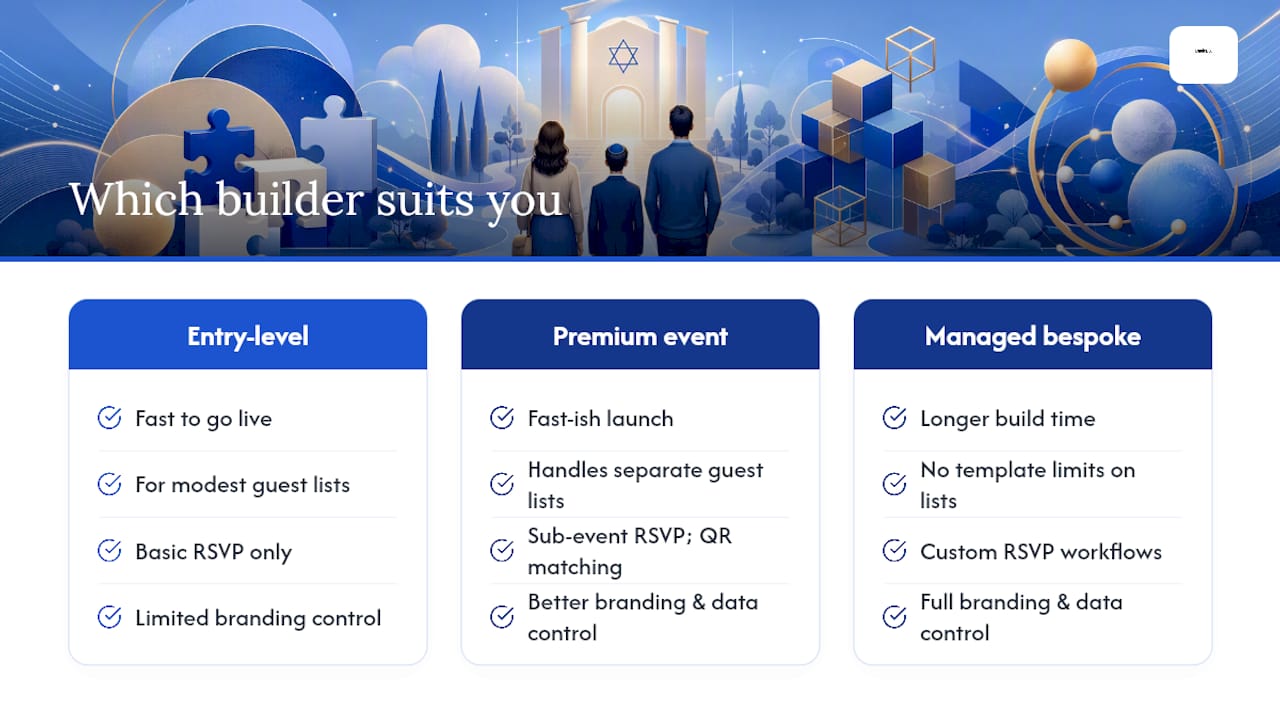
The honest answer is that it depends on how much control you want over branding and data. Entry-level builders are fine for straightforward, single-event sites with modest guest lists, and they get you live fast. Premium event-focused platforms add sub-event RSVP handling and QR-friendly invite matching, which suits families juggling separate lists for service, lunch and evening celebrations.
Look for a platform that lets you export guest data freely, gives genuine password protection (not a flimsy version behind a paywall), and renders cleanly on a phone screen without you having to fiddle with settings. If mobile-first design and accessible navigation matter to you, the same principles apply here as they do to small business websites more broadly, where clear structure beats visual flourish every time.
A managed, bespoke build sidesteps most of these trade-offs entirely, since you’re not working within someone else’s template limits, though it comes at a higher price point and a longer lead time than a DIY platform.
How to add photos and video without slowing the site down
Photos and video bring a Bar Mitzvah site to life, but they’re also the easiest way to make it load painfully slowly on a guest’s phone. Compress images before uploading, and lean on a gallery format that loads thumbnails first rather than dumping full-resolution files onto the page all at once.
A short video message from the child, even thirty seconds, does more for guest excitement than a paragraph of text ever will. If you’re working with a professional, the kind of coverage event photographers typically deliver can give you a polished set of images ready for the gallery well before the party itself, since many shoot rehearsal or family portrait sessions in advance.
Add captions to any video content explaining the service structure, which also helps guests with hearing difficulties follow along before they arrive. Keep the photo gallery separate from the RSVP and ceremony pages so slow-loading images never delay the page a nervous guest is trying to use to confirm attendance the night before your cut-off date.
How do you stop spam RSVPs and keep the site secure?
Beyond keeping guest data private, you need to stop random submissions clogging your RSVP list. A simple CAPTCHA or “I’m not a robot” tick box on the form filters out most automated spam without adding friction for real guests.
Restrict the RSVP form to a guest list you control where possible, rather than leaving it open to anyone with the link. Some platforms let you issue individual codes per invited family, which also stops uninvited plus-ones from adding themselves. Use HTTPS (the padlock in the browser bar) as a baseline. Any site handling personal data, even something as low-stakes as a party RSVP, should have this by default.
Back up your RSVP data regularly outside the platform itself, and change any admin password from the default the moment the site goes live. It sounds obvious, but “admin123” left unchanged is still the most common way small event sites get compromised.
What most parents get wrong (and how to fix it)
The mistakes I see most often are painfully avoidable: launching the site too late to give guests real notice, missing an “other” field on dietary needs, and vague ceremony notes that leave visiting guests guessing. Each one triggers the same result, a flood of near-identical texts and calls in the final fortnight.
A well-structured site heads all of that off before it starts. Parents who prepare content early and test the RSVP flow properly report far fewer last-minute questions, which is really the whole point. If you’d rather hand the build to someone else entirely, a managed provider like Basic-BS is worth considering.
— CRB
Want a Bar Mitzvah website without doing it yourself?
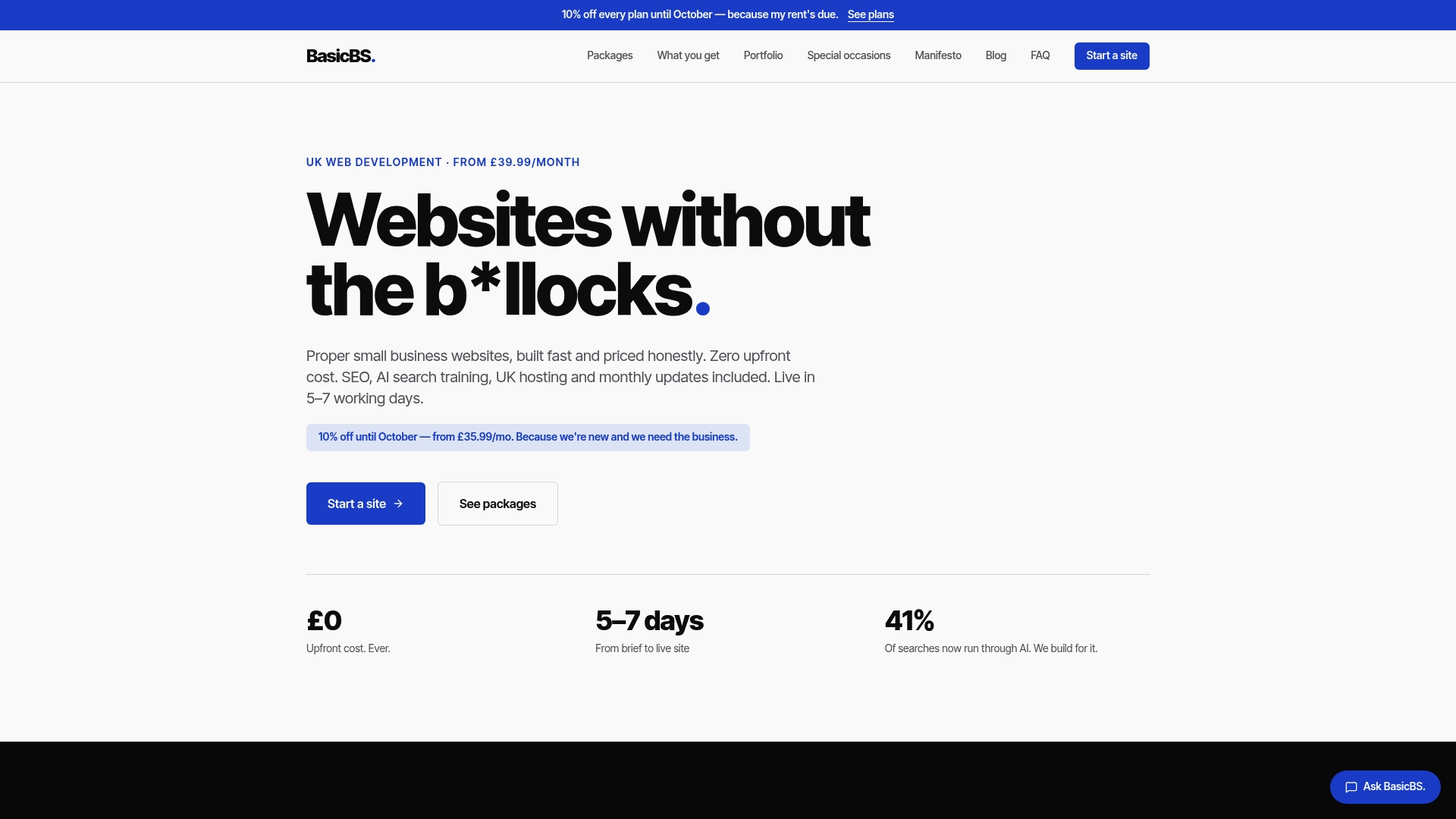
If DIY templates and hosted platforms feel like more admin than you want on top of everything else a Bar Mitzvah involves, this type of provider builds it for you instead, at a fixed price with no hidden extras tacked on later. Bespoke one-page event sites start from a fixed price, and full builds go live in a matter of working days with managed hosting, SSL and monthly updates included as standard.
Before you get in touch, gather the basics: your ceremony details from the rabbi, a handful of photos, the timetable, and a clear idea of what your RSVP form needs to capture (meal choices, plus-ones, accessibility notes). Everything else, the password protection, the mobile-friendly layout, the design that matches your invitations, gets handled on your behalf. If you’d rather see what a finished site actually looks like first, browse the website examples and templates before reaching out, or head straight to Basic-BS to request a quote and get your site scheduled.
Sources
- How to make your website interfaith family friendly - 18Doors
- Celebrating the age of mitzvah: A guide for all genders - Keshet
- Bar & Bat Mitzvah websites & online RSVP - RSVPify
FAQ
Do I need a website for a Bar Mitzvah?
You don’t strictly need one, but a website saves you from dozens of repeated phone calls about timing, dress code and directions, while giving you one reliable place to collect RSVPs.
What should a Bar Mitzvah website include at minimum?
At minimum, include the event summary, timetable, ceremony notes, travel details, contact information and an RSVP form with meal and dietary fields.
How early should I launch the site before the event?
Start gathering content around three months out and open RSVPs roughly six weeks before the party, giving guests enough notice to plan travel and accommodation.
How much does a Bar Mitzvah website cost to build?
Costs range from low-cost DIY templates through mid-range hosted event platforms to bespoke developer builds, which typically cost more but include support and hosting. Some web development services offer bespoke one-page event sites at a fixed price.
How do I make the website welcoming for non-Jewish guests?
Add a short glossary explaining terms like aliyah and kiddush, a plain-English dress code note, and a warm explanation of the mitzvah project so unfamiliar guests feel prepared rather than lost.