Fix Local SEO with One Local Business Schema Block for UK Small Sites

LocalBusiness schema is a small JSON‑LD block that tells Google exactly who you are, where you trade, and how customers reach you. Add one accurate LocalBusiness block with the required fields, matched exactly to your Google Business Profile, and skip everything else for now. Do that properly and you can see visibility improvements within a few weeks, assuming your other local signals are already healthy.
TL;DR:
- Accurate NAP details between your website schema and your Google Business Profile are essential; even minor discrepancies can weaken your local visibility signals.
- Implementing a separate JSON‑LD schema block for each location with a unique @id linking to a parent organization prevents search engine confusion and listing errors.
- The most critical schema properties to include are @type, name, address as a PostalAddress object, and telephone in international format, plus URL for completeness.
- Validation should be performed using Google’s Rich Results Test and Schema Markup Validator before publishing, with regular monitoring via Search Console to catch and fix issues promptly.
- Multi-location and service-area businesses must use separate schema blocks per site, dropping address fields if hidden in their GBP, and update data immediately after any business changes.
Table of Contents
- What is local business schema, and why does it matter for local SEO?
- How to add LocalBusiness schema: format, placement, and rollout
- Copy‑paste JSON‑LD examples for common business types
- Required vs recommended properties, and how to format them
- Choosing the right @type: LocalBusiness, a subtype, or Organization?
- Multi-location patterns and modelling service‑area businesses
- Validation and monitoring: which tools actually catch mistakes
- Fast fixes for the most common implementation problems
- Does local business schema actually affect voice search?
- How LocalBusiness schema works alongside Review and Offer markup
- Keeping your schema accurate as your business changes
- What implementing LocalBusiness schema actually gets you
- Publisher perspective: what actually matters first
- Getting your schema built properly without the agency price tag
- Sources
- FAQ
What is local business schema, and why does it matter for local SEO?
Local business schema is structured data, written in a format called JSON‑LD, that sits quietly in your website’s code and describes your business in terms a search engine can parse without guessing. No visitor ever sees it. Google, Bing, and increasingly AI assistants like Google’s own AI Overviews read it instead, using it to build the knowledge panel, the map pin, and the little snippet that shows your opening hours before someone has even clicked through.
Here’s the bit most guides skip: schema doesn’t rank you higher on its own. What it does is remove ambiguity. If your website says “Mon’s Café” and your Google Business Profile says “Mon’s Coffee House Ltd”, Google has to decide which one to trust, and it might quietly pick neither. Google’s own documentation on LocalBusiness structured data is blunt about this: it wants a most-specific subtype, a proper name, a structured address object, a phone number, and a URL, formatted exactly right, with nothing left to interpretation.
That’s the standard industry term worth knowing, by the way: this whole practice sits under “structured data for businesses,” a phrase you’ll see across Google’s documentation and Schema, which is the vocabulary schema.org itself maintains and updates. “Local business schema” is the everyday version people search for; “LocalBusiness structured data” is what the engineers who built the systems actually call it. Both point to the same block of code.
How to add LocalBusiness schema: format, placement, and rollout
Get the format right first, because everything else depends on it. JSON‑LD is the format Google recommends and the one nearly every serious implementation guide defaults to, over older approaches like microdata or RDFa, because it lives in a single script tag rather than being scattered through your HTML attributes. That makes it far easier to edit, audit, and hand over to a developer without them needing to untangle your template.
Here’s the practical sequence for getting a LocalBusiness block live without breaking anything:
- Decide which pages need markup. Your homepage gets the primary block. If you have multiple locations, each location page gets its own, not a shared copy.
- Write the JSON‑LD in a script tag. Use
<script type="application/ld+json">and place it either in the<head>or just before the closing</body>tag. Google reads either position fine, so pick whichever your site builder makes easiest. - Assign a stable
@id. This is a unique identifier, usually a URL fragment, that lets you link a location’sLocalBusinessentry back to a parentOrganizationobject. Practitioner guides recommend this pattern specifically because it stops search engines treating each location as an unrelated entity. - Push to staging first. Never edit live production code directly, especially if a plugin manages your header scripts.
- Validate before publishing. Run it through a testing tool (more on that shortly) and fix every warning, not just the errors.
- Publish, then monitor. Check Search Console over the following fortnight for new structured data issues.
If you’re running WordPress, most SEO plugins (Yoast, Rank Math) will offer a schema module, but be warned: these often generate a generic LocalBusiness block automatically, and it rarely matches your actual subtype or your exact NAP details. Shopify and Wix have similar defaults baked into their themes. The trap is assuming the plugin’s version is good enough and never checking it. It usually needs a manual override.
Pro Tip: Before you touch any code, open your Google Business Profile and copy your business name, address, and phone number character-for-character into a text file. Every mismatch between your website schema and your GBP listing is a small trust signal lost, and most business owners don’t spot the discrepancy until months later.
One workflow worth citing directly here: SemLocal’s approach to JSON‑LD is built entirely around this staging‑validate‑publish sequence, with a single authoritative block per location as the non‑negotiable rule. It’s a sound structure to copy regardless of who implements it.
Copy‑paste JSON‑LD examples for common business types
Seeing a working example beats reading a property list, so here are three templates you can adapt directly.
Minimal valid example. This covers the four required properties and nothing else. It’s the bare floor, not the ceiling.
{
  "@context": "https://schema.org",
  "@type": "LocalBusiness",
  "name": "Riverside Hardware Ltd",
  "address": {
    "@type": "PostalAddress",
    "streetAddress": "14 Mill Lane",
    "addressLocality": "Leeds",
    "postalCode": "LS1 4AB",
    "addressCountry": "GB"
  },
  "telephone": "+441132345678",
  "url": "https://riversidehardware.example.co.uk"
}
Subtype example: a restaurant. Swapping the generic LocalBusiness type for Restaurant unlocks properties that mean nothing to a hardware shop but everything to a diner deciding where to eat.
{
  "@context": "https://schema.org",
  "@type": "Restaurant",
  "name": "The Copper Kettle",
  "address": {
    "@type": "PostalAddress",
    "streetAddress": "22 Quay Street",
    "addressLocality": "Bristol",
    "postalCode": "BS1 4EF",
    "addressCountry": "GB"
  },
  "telephone": "+441179876543",
  "url": "https://coppertle.example.co.uk",
  "servesCuisine": "British",
  "priceRange": "££",
  "menu": "https://coppertle.example.co.uk/menu"
}
Service‑area business example. If you’re a plumber, mobile groomer, or electrician who visits customers rather than the other way round, publishing your street address can be actively unhelpful, and if your Google Business Profile already hides it, your schema should follow suit. Use areaServed instead.
{
  "@context": "https://schema.org",
  "@type": "Plumber",
  "name": "Fenwick & Sons Plumbing",
  "telephone": "+441619988776",
  "url": "https://fenwickplumbing.example.co.uk",
  "areaServed": {
    "@type": "City",
    "name": "Manchester"
  }
}
| Business type | @type value |
Standout property to add |
|---|---|---|
| Café or shop with a fixed premise | LocalBusiness or a retail subtype |
openingHoursSpecification |
| Restaurant | Restaurant |
servesCuisine, menu |
| Plumber, electrician, mobile trades | Plumber, Electrician, etc. |
areaServed |
| Dentist, clinic | Dentist |
medicalSpecialty |
Notice the service‑area example has no address field at all. That’s deliberate, not an oversight, and it’s the single most common thing site managers get wrong when adapting a template built for a shop.
Required vs recommended properties, and how to format them
Four properties are non‑negotiable, according to Google’s structured data guidelines: the most specific @type you can justify, name, address as a proper PostalAddress object, and telephone. Miss any of these and your markup either fails validation outright or gets treated as too thin to use.
@typeshould be the most specific subtype available, not a bareLocalBusiness. Schema.org documents over 200 subtypes, fromHairSalontoAutoRepair, and each one carries its own bonus vocabulary.namemust match your Google Business Profile exactly, punctuation and all. “Fenwick & Sons” and “Fenwick and Sons” are, as far as an algorithm is concerned, two different businesses.addressneeds to be a nestedPostalAddressobject withstreetAddress,addressLocality,postalCode, andaddressCountry, never a flat string.telephoneshould use the international format (+44for the UK) so it’s unambiguous regardless of where the searcher is.
Beyond that floor, a handful of recommended fields do genuine heavy lifting:
geo, giving latitude and longitude, helps map-based results place your pin accurately rather than approximating from the postcode.openingHoursSpecificationstructures your hours properly, rather than as a plain-text sentence, which is what actually powers the “Open now” label.imageshould point to a genuine photo of your premises or team, not a stock graphic.sameAslinks out to your Google Business Profile and other verified profiles, and industry guidance suggests this materially improves how confidently AI systems cite your business as an entity.aggregateRatingis conditional: only add it if genuine, visible reviews with a sufficient count actually appear on that page. Marking up reviews nobody can see is a rules violation, not a shortcut.
Here’s a fact worth sitting with: a minimal LocalBusiness implementation for a single, already-clean location typically takes about 60 to 90 minutes from writing the JSON‑LD to publishing it. It’s not the technical build that eats time on most projects. It’s untangling inconsistent NAP details across five different directories first.
Choosing the right @type: LocalBusiness, a subtype, or Organization?
Specificity is not a nice-to-have here. It’s the difference between a search engine (or an AI assistant summarising your business) understanding precisely what you do versus filing you under a vague catch-all. A generic LocalBusiness type tells Google almost nothing beyond “this exists somewhere.” A subtype like Dentist or Bakery unlocks a vocabulary of properties tailored to that trade, and practitioner analysis consistently finds that this specificity produces stronger contextual signals than the generic fallback.
Three questions settle which type you need:
- Can a customer visit you? If yes, you almost certainly need a
LocalBusinesssubtype with a real address. If customers only ever interact online or over the phone, you may not need location-based schema at all. - Do you publish fixed opening hours? A business with set hours (a shop, a clinic) fits neatly into subtypes built around premises. A business that works by appointment across a region often fits the service-area pattern instead.
- Where is the service actually delivered? At your premises, at the customer’s address, or remotely? This single question usually resolves whether you need
streetAddressorareaServed.
Common subtypes worth knowing: Restaurant, Dentist, HairSalon, AutoRepair, LegalService, and RealEstateAgent, each carrying extra properties that a bare LocalBusiness block simply can’t hold.
Organization is the right choice only when there’s genuinely no physical or service location to describe, such as a sitewide corporate entity sitting above multiple branded locations. In a multi-location setup, that Organization block becomes the parent that each location’s LocalBusiness entry links back to.
Multi-location patterns and modelling service‑area businesses
Chains and multi-branch businesses need one LocalBusiness block per physical location, never a single shared block trying to cover them all. Each location gets its own unique @id, and each links back to a shared Organization object representing the business as a whole. This @id pattern is what stops search engines treating five branches of the same shop as five unrelated entities, or worse, merging them into one confused listing.
For businesses with departments inside a single premises, such as a garden centre with a separate café, the department can sit as a nested entity within the parent location’s schema rather than as a fully separate LocalBusiness block. A branch in a different town, by contrast, always needs its own full block.
- Give every location its own JSON‑LD block, embedded on that location’s specific page, not the homepage alone.
- Link each block to a parent
Organizationusing a shared, stable identifier. - For service-area businesses, drop
streetAddressentirely if your Google Business Profile also hides it, and describe coverage usingareaServed, either as named places or aGeoShape. - Keep phone numbers location-specific where each branch has its own line, rather than routing every location to one central switchboard number in the schema.
- Audit NAP consistency across every location page, since a single mismatched postcode is often enough to fracture how confidently Google associates the listing with the right map pin.
The service-area pattern trips up more small businesses than almost anything else here, mainly because website templates default to a street address field that mobile trades simply shouldn’t fill in.
Validation and monitoring: which tools actually catch mistakes
Three tools cover nearly every validation need, and each does a slightly different job. Google’s Rich Results Test checks whether your markup is eligible for enhanced search features and shows you a preview of how it might appear. The Schema Markup Validator, a separate community tool maintained outside Google, checks strict compliance against the full schema.org vocabulary, which catches issues Google’s own tool sometimes lets slide. Search Console’s structured data reports are the one built for ongoing monitoring rather than a one-off check, flagging new errors as they appear across your whole site.
- Run the Rich Results Test first, on the live staging URL, before anything goes public.
- Run the Schema Markup Validator second, to catch property names or types that are technically wrong even if Google’s tool didn’t flag them.
- Check Search Console weekly for the first fortnight after publishing, then monthly.
- Treat any “missing required property” error as a publish-blocker, not a warning to fix later.
- Treat a malformed
PostalAddress(a flat string instead of a nested object) as the single most common cause of validation failure.
Common errors documented by implementation guides tend to cluster around three causes: a mismatched NAP between the schema and the Google Business Profile, duplicated schema output from a plugin and a manually-added script both firing, and straightforward malformed JSON, usually a missing comma or an unescaped quotation mark.
Pro Tip: If Search Console flags an error weeks after a clean initial validation, check first whether a plugin update silently changed your theme’s schema output. This happens more often than a genuine coding mistake on your end.
Keep a simple developer checklist for every rollout: stage it, validate it twice, publish it, and know exactly which file to revert if Search Console throws a new error the following week.
Fast fixes for the most common implementation problems
NAP mismatch with your Google Business Profile. This is the single most common fault, and the fix is always the same: open both listings side by side and correct every character difference, including things as small as “St” versus “Street.”
- Symptom: business name, address, or phone differs even slightly between your website schema and GBP.
- Fix: copy the exact GBP details into your JSON‑LD, character for character.
Duplicate schema output. Plugins and themes frequently generate their own schema on top of any you’ve added manually, and the two blocks conflict rather than combining.
- Symptom: viewing your page source shows two separate
LocalBusinessscript blocks. - Fix: disable the plugin’s automatic schema module, or remove your manual block, never leave both running.
AggregateRating added incorrectly. Marking up reviews that aren’t visible on the page, or that fall below a sensible count, breaches the conditional rules and risks a manual penalty.
- Symptom: a rating shows in your schema with no visible reviews backing it on that page.
- Fix: remove the property entirely until genuine, visible reviews with a reasonable count exist.
Template leftovers. Guides for UK businesses flag this constantly: an addressCountry value of “US” left over from a template built for an American market, or opening hours written in a format the parser doesn’t recognise.
- Symptom: validation passes but the country or hours display incorrectly in search results.
- Fix: set
addressCountryto “GB” and format hours using proper ISO time notation (08:00, not “8am”).
Does local business schema actually affect voice search?
Voice assistants and AI-driven answers don’t read your website the way a person does. They pull from structured, unambiguous data whenever it’s available, because parsing free text for an address or an opening time is slower and less reliable than reading a PostalAddress object directly.
When someone asks a voice assistant “is the bakery on the high street open right now,” the answer usually comes from your openingHoursSpecification, not from a sentence buried in your about page. The same applies to AI-generated summaries and overview panels, which increasingly lean on structured data to construct a confident, citable answer rather than guessing from prose. A business without clean schema isn’t necessarily invisible to these systems, but it’s working from a weaker starting position, competing against businesses that have removed the guesswork entirely.
This is also where sameAs earns its keep. Linking your schema to your Google Business Profile and other verified profiles gives voice and AI systems a corroborating trail, rather than a single unverified claim about who you are.
How LocalBusiness schema works alongside Review and Offer markup
LocalBusiness schema rarely operates in isolation on a well-built page. It’s designed to sit alongside other schema.org types that layer in extra detail, and Google’s rich results often combine several types to build a single enhanced listing.
Review and AggregateRating can nest inside your LocalBusiness block, but only where genuine, visible reviews exist on that page, and only when the count meets a reasonable threshold. Offer markup, meanwhile, lets you describe a specific promotion or product price tied to that location, which can surface directly in search results alongside your business listing.
The pattern that matters here: these additions extend the same LocalBusiness entity rather than replacing it or existing as a separate, disconnected block. A shop selling a seasonal offer nests an Offer object inside its existing schema, referencing the same business identity, rather than publishing a second unrelated script. Getting this nesting wrong, by duplicating the business details inside the Offer block instead of referencing the parent, is a common source of the duplicate-output errors covered earlier.
Keeping your schema accurate as your business changes
Schema isn’t a set-and-forget job, and treating it that way is how mismatches creep back in within a year. Every time your opening hours change for a bank holiday, your phone number changes, or you add a second location, your JSON‑LD needs updating alongside your Google Business Profile, not months later once someone notices the discrepancy.
Build a habit around three triggers: any change to your GBP listing, any change to your trading name or address, and any seasonal shift in hours. Each one should prompt an immediate schema update, ideally on the same day, rather than a quarterly review that leaves stale data live in the meantime.
Re-run your validation tools after every meaningful edit, not just at initial launch. It takes minutes and catches the kind of small formatting slip, a missing comma, a country code left unchanged, that otherwise sits undetected for months. If you’ve handed schema management to a developer or agency, agree explicitly on who owns updates when your business details change, because this is the single most common way accurate schema quietly decays into inaccurate schema.
What implementing LocalBusiness schema actually gets you
The core benefit is disambiguation, not a ranking boost you can point to on a graph. Structured data removes the guesswork search engines would otherwise have to do when piecing together who you are from unstructured page text, and that clarity feeds directly into how confidently Google builds your local pack listing, your knowledge panel, and your map result.
The practical upsides stack up like this: richer search result snippets that can display opening hours or ratings before a click; stronger consistency between your website and your Google Business Profile, which supports how confidently Google displays your business in local results; and better raw material for AI systems and voice assistants to cite you accurately rather than approximate.
None of this replaces the fundamentals. A business with inconsistent NAP details across the web, thin Google reviews, or no genuine local content won’t out-schema those weaknesses. What accurate LocalBusiness schema does is make sure that once those fundamentals are solid, nothing gets lost in translation between your website and the systems trying to represent you.
Publisher perspective: what actually matters first
Most small business owners reach for schema before they’ve fixed the basics, and that’s backwards. Fix your Google Business Profile and your NAP consistency across the web first. A perfectly formatted LocalBusiness block sitting on top of a mismatched phone number and an outdated address is polishing a crack, not fixing it.
DIY implementation is genuinely achievable for a single location if you’re comfortable copying a template carefully and validating it properly, and it’s a fair way to spend an afternoon. Where it gets messy is multi-location businesses, service-area modelling, and ongoing monitoring, which is where BasicBS’s approach leans on staging every change and validating twice before anything goes live, because half-finished schema is worse than none at all. Accurate data, checked regularly, beats a clever one-off build every time.
— CRB
Getting your schema built properly without the agency price tag
If you’ve read this far and your instinct is “I’ll get round to it,” that’s exactly how businesses end up with five-year-old opening hours still live in their schema. This is an alternative to hiring a full agency for this: no lengthy discovery process, no separate invoice for structured data on top of your website build, just a site that’s built with accurate LocalBusiness schema from day one.
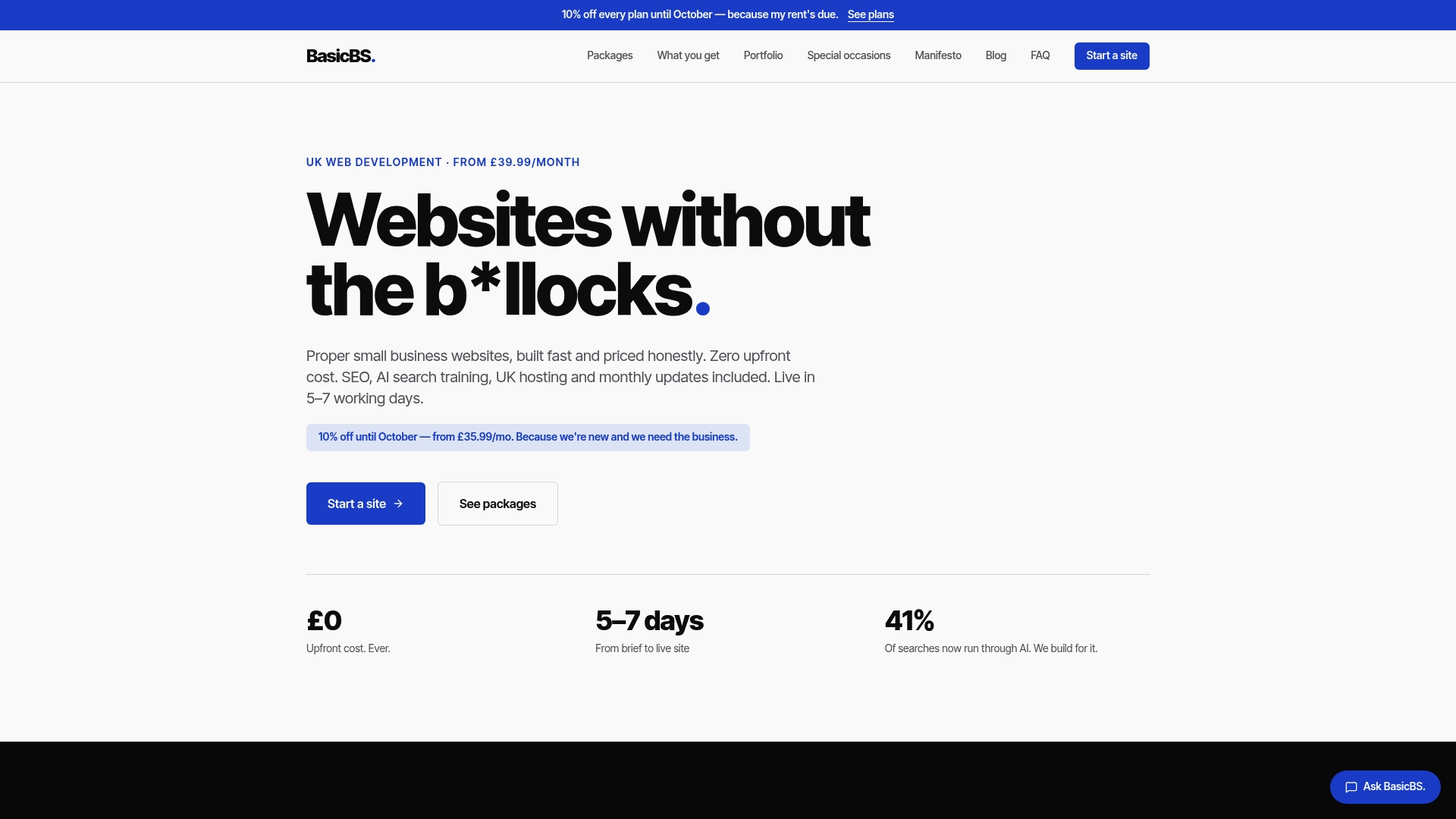
Every website Basic-BS builds includes SEMrush-led SEO and managed UK hosting as standard, which means your schema, your NAP consistency, and your ongoing technical health aren’t three separate problems you’re juggling alone. Sites go live in 5 to 7 working days, with monthly updates included, so when your opening hours change or you add a second location, that’s handled as part of the plan rather than a scramble months later. If you’d rather see finished examples first, the Basic-BS portfolio shows real builds, including the schema-backed pages behind them. Get in touch and we’ll audit what your current site is (or isn’t) telling Google, then build it properly from there.
Sources
Two documentation pages are worth keeping open in a permanent tab. Google Search Central’s local business structured data guidelines set out exactly what Google expects, updated as their systems evolve. Schema.org’s LocalBusiness type page is the underlying vocabulary itself, listing every subtype and property name you might need, including openingHoursSpecification, which trips people up more than any other single field.
For testing, run new markup through Google’s Rich Results Test before it goes live, then check it again with the Schema Markup Validator for stricter compliance. Once published, Search Console’s structured data reports become your ongoing monitoring tool, flagging new errors after theme updates, plugin changes, or a rushed edit nobody validated first. Treat these three as a set rather than picking one and assuming it covers everything the others catch.
- Local Business (LocalBusiness) structured data
- Schema
- Local business schema: JSON‑LD that matches your Google Business Profile – SemLocal
- How to Add Local Business Schema to Your Website - SEO Bridge
FAQ
What is LocalBusiness schema used for?
It’s a structured data format that tells search engines and AI assistants exactly who your business is, where it’s located, and how to contact it, feeding directly into local pack listings, knowledge panels, and voice search answers.
Do I need JSON‑LD or can I use microdata instead?
JSON‑LD is the format Google recommends and the one nearly every modern implementation guide defaults to, since it sits in a single script block rather than scattered through your HTML.
Which LocalBusiness properties are actually required?
Four: the most specific @type you can justify, name, address as a PostalAddress object, and telephone, with url expected alongside them as the practical minimum.
How long does it take to add LocalBusiness schema to a website?
A minimal single-location implementation typically takes 60 to 90 minutes if your Google Business Profile is already accurate; multi-location or service-area setups take longer.
What’s the most common mistake businesses make with this schema?
A mismatch between the website’s schema and its Google Business Profile, whether that’s the business name, address, or phone number, which undermines the trust signal the schema is meant to build.
Can Basic-BS add LocalBusiness schema when it builds my site?
Yes. Websites can include accurate schema as part of the standard build, checked against your Google Business Profile and validated before going live.