Shopify vs WooCommerce 2026: UK SMEs Or Pay Monthly in Under Two Weeks
If you want a fast launch with everything bundled in, pick Shopify. If you want full ownership of your content, your data and your costs, pick WooCommerce. The real trade-off is turnkey predictability against control, so before deciding, check checkout eligibility in your market, real hosting costs, and how VAT gets configured on either platform.
TL;DR:
- Shopify offers quick setup with managed infrastructure, but costs can increase due to transaction fees and app subscriptions as your store grows.
- WooCommerce provides full control over hosting, data, and customization, though it requires ongoing maintenance and technical management.
- Payment method availability varies by platform and country, making thorough checkout testing essential before launching to ensure customer needs are met.
- Scaling WooCommerce demands strategic hosting upgrades and technical optimization, while Shopify scales seamlessly with plan upgrades but at higher monthly costs.
- Outsourcing to a website design service like BasicBS can provide a ready-made, supported solution without the DIY, management, or support complexities of either platform.
Table of Contents
- Shopify vs WooCommerce: the quick comparison
- What does Shopify vs WooCommerce pricing actually cost?
- How do themes, apps and plugins differ between the two?
- Which payment options work best for UK sellers?
- How long does it take to launch, and who handles support?
- Which platform gives you better SEO and marketing control?
- How do the two platforms handle scalability and performance?
- What legal and security checks do UK sellers need?
- Which platform, provider or service should you actually choose?
- A pragmatic take on Shopify vs WooCommerce for UK small businesses
- Want a website without learning Shopify or WooCommerce at all?
- Sources
- FAQ
Shopify vs WooCommerce: the quick comparison
Here’s the architecture bit that actually matters before you look at features: Shopify is a hosted, closed system where the platform runs the servers, the security patches, and the checkout. WooCommerce is a free plugin that sits on top of WordPress, which means you (or whoever you pay) own the hosting, the server maintenance, and every technical decision that comes with it. Neither is “better” in the abstract. One hands you the keys to a managed flat; the other hands you the deeds to a house you have to maintain yourself.
Reviewers who compare the two consistently land on the same conclusion: Shopify’s main advantage is time saved, because it bundles infrastructure, checkout and support into one subscription. The downside is that recurring app costs creep in fast, and deep customisation often means fighting the platform rather than working with it.
Shopify pros:
- Live in days, not weeks, with a built-in checkout that just works
- Managed infrastructure means no server headaches, ever
- Predictable monthly billing with tiered plans
- Solid uptime and support baked into every plan
Shopify cons:
- Apps add up fast, and some “essential” features live behind paid add-ons
- Deep customisation often needs a developer fluent in Shopify’s Liquid templating
- Switching away later means rebuilding, not just exporting
WooCommerce pros:
- Full control over hosting, code and data, nothing is locked away
- Extensions and themes from the wider WordPress ecosystem, not one closed app store
- Content and commerce sit in the same system, which suits blogs-turned-shops
- Choice of payment gateways rather than one default option
WooCommerce cons:
- You (or your host) are responsible for uptime, backups and security
- Costs are scattered across hosting, extensions and possibly a developer
- Performance depends entirely on how well the hosting is configured
Shopify’s own reviews back up its reputation as the platform best suited to first-time owners who want a rapid launch with predictable infrastructure and support included as standard. That predictability is exactly what a lot of sole traders are paying for, whether they realise it or not.
Pro Tip: Before you commit to either platform, run a full test order through checkout in the currency and country you actually trade in. Payment method availability is one of those things that looks fine on the sales page and then bites you at go-live.
What does Shopify vs WooCommerce pricing actually cost?
Sticker prices lie. Shopify’s monthly fee looks simple until you add transaction fees, apps and theme costs. WooCommerce’s “free” plugin looks like a bargain until you tally hosting, extensions and the hours (or invoices) needed to keep it running. Here’s how to model it properly.
Shopify’s real cost stack:
- A monthly subscription tier (entry level plans start low, but growth plans and enterprise tiers climb quickly)
- Transaction fees on every sale unless you use Shopify’s own payment gateway
- Apps for things that feel like they should be free: reviews, upsells, email flows, inventory syncing
- A premium theme, if the free ones don’t fit your brand (one-off cost, but not nothing)
WooCommerce’s real cost stack:
- Hosting, which ranges from a few pounds a month on shared servers to considerably more on managed WooCommerce hosting built for higher traffic
- A domain name and an SSL certificate (some hosts bundle SSL free, others charge)
- Paid extensions for subscriptions, advanced shipping rules, or specific payment gateways
- Either your own time learning WordPress maintenance, or a developer’s day rate when something breaks
As Cloudways points out, WooCommerce itself carries no licence fee, but store owners must budget separately for hosting, domain, theme, extensions, backups, security and ongoing maintenance. That’s the bit people miss when they see “free plugin” and assume the whole build costs nothing.
A worked example: small catalogue, moderate traffic
Picture a shop selling forty products, doing a few hundred orders a month. On Shopify, year one typically covers the monthly subscription across twelve months, a handful of paid apps for email marketing and reviews, and transaction fees on every sale. Year two tends to look similar unless you upgrade plans to unlock better shipping rates or more staff accounts, at which point costs step up noticeably.
On WooCommerce, year one includes a hosting plan sized for the traffic you expect, a domain, a handful of extensions for the payment gateway and shipping rules you need, and probably a few hours of developer time to get everything configured properly. Year two often costs less, because the big setup spend has already happened. The exception is if you outgrow shared hosting and need to move to a managed WooCommerce host, which is where costs on this side can jump too.
Avoiding the surprise renewal bill
The trap on both platforms is the same: a small monthly app or extension fee feels harmless at checkout, then twelve of them together turn into a genuine line item nobody budgeted for. Before adding any app or plugin, check what it does when you don’t renew. Does your store keep functioning, or does a feature silently vanish and break your checkout? Audit your subscriptions every few months on either platform. Nobody enjoys discovering they’ve been paying £15 a month for a feature they stopped using in March.
How do themes, apps and plugins differ between the two?
Shopify’s app store and WooCommerce’s plugin ecosystem solve the same problem in different ways, and which one suits you depends on how far you plan to push customisation.
On Shopify, most feature additions are a few clicks: install an app, connect it, done. Want a loyalty programme, a subscription model, or a size-guide widget? There’s an app for it, and it’s usually live within the hour. The trade-off is that you’re renting functionality, and each app is another monthly fee stacked onto your subscription.
On WooCommerce, the WordPress plugin and theme ecosystem gives you the same breadth but with more room to go deeper. Because WooCommerce runs on WordPress, you can blend commerce with genuine content, blog posts, landing pages, resource libraries, without switching systems. That’s a real edge for content-led brands. The flip side is that plugins occasionally clash with each other, and every update needs testing before you push it live.
When you’ll need custom development on either platform:
- Complex product rules (tiered pricing by customer group, build-your-own bundles)
- Subscription ecosystems with multiple billing cycles or trial periods
- Integrations with a bespoke stock system or a third-party CRM
- Multi-currency or multi-warehouse logistics beyond what the default apps handle
Maintenance risks worth knowing about:
- Plugin compatibility issues on WooCommerce can break a site after a WordPress core update
- Shopify app updates are handled by the vendor, but a discontinued app can leave a gap in your workflow overnight
- Marketplace subscriptions on both platforms tend to auto-renew annually, often at a higher rate than the first year
Pro Tip: Keep a simple spreadsheet listing every app or plugin you install, what it costs, and what breaks if you remove it. When your bill creeps up, that list tells you exactly what to cut without guessing.
Which payment options work best for UK sellers?
Payments are where the theory of “just pick a platform” meets the reality of what your customers can actually use to pay you, so check this before you build anything else.

Shopify Payments, the platform’s own gateway, isn’t available everywhere and comes with eligibility rules tied to your business’s registered country. Before assuming you’ll get the streamlined checkout experience shown in Shopify’s marketing, verify which payment methods are actually available for a business registered in your market.
WooCommerce’s approach is more of a pick-and-mix. Three options come up repeatedly for UK sellers:
- WooPayments, WooCommerce’s own payments solution, though availability varies by country and needs checking against your specific setup.
- GoCardless, which handles direct debit and Instant Bank Pay for UK merchants through an official WooCommerce extension, useful for subscription billing or invoiced B2B sales.
- Mollie, which supports a mix of local and international payment methods, though Mollie requires a UK-registered organisation for UK merchants to use it.
Checklist before you go live with either platform:
- Confirm your default currency and check the exchange settings if you sell internationally
- Verify your VAT registration status is correctly configured in your platform’s tax settings
- Test every payment method you plan to offer, not just the default one, with a real card and a real bank transfer
- Run the whole checkout flow end to end, from basket to confirmation email, before announcing your launch
The rule that gets skipped most often: never assume payment methods behave identically across markets. Testing the full checkout in the country you actually trade in catches problems that a demo store never reveals, because onboarding checks and supported methods genuinely differ by registration country.
How long does it take to launch, and who handles support?
Time to launch is one of the sharpest differences between the two platforms, and it shapes everything about who should choose which.
A basic Shopify store, product pages, a theme, one payment method, can realistically go live within a few days if you know what you’re doing, or a week or two if you’re learning as you go. Shopify’s support team is available directly through the platform, backed by a large help centre and community forums, which suits someone without a technical background who wants a hand when something goes wrong.
A WooCommerce store takes longer to launch properly, because you’re setting up hosting, installing WordPress, configuring WooCommerce, choosing a theme and testing plugins before you’ve written a single product description. Support comes from a different place entirely: the WordPress and WooCommerce community, official documentation, hosting provider support desks, and independent developers or agencies you hire directly. There’s no single phone line to call.
What launching each platform typically involves:
- Shopify: choose a plan, pick a theme, add products, connect a payment gateway, test checkout, go live
- WooCommerce: choose hosting, install WordPress, install WooCommerce, configure theme and plugins, connect a gateway, test checkout, go live
- Pay-monthly managed build: a developer handles the setup end to end, including hosting, SSL and updates, and you review the finished site before it goes live
That third route matters more than most comparison articles admit. A pay monthly website design service without an upfront cost UK small businesses can access removes both the DIY learning curve of WooCommerce and the app-cost creep of Shopify, because someone else handles hosting, SSL and the fiddly bits while you get on with running the business.
Which platform gives you better SEO and marketing control?
Content and search visibility split fairly cleanly along the hosted-versus-self-hosted line, and it’s worth knowing which side you’re choosing before you commit.
WordPress plus WooCommerce gives genuine content control: custom post types, a proper blog integrated with your product pages, full control over URL structures, and no restrictions on the plugins you use for schema markup or technical SEO. If your growth plan depends on content marketing, buying guides, comparison pages, a blog that ranks. This flexibility is hard to replicate on a closed platform.
Shopify simplifies the marketing side instead of the content side. Built-in conversion tools, abandoned cart emails, and app integrations for email marketing and reviews come ready to switch on, which suits a founder who wants to sell rather than write.
Either way, 2026 is the year search itself has changed. Shoppers now ask AI tools directly which local business to buy from, which means local business schema setup and structured data matter as much as traditional keyword optimisation used to.
Checklist for small businesses on either platform:
- Migrate all existing metadata (titles, descriptions, alt text) during any move, don’t start from scratch
- Add local business schema so search engines and AI answer engines can identify who you are and where you trade
- Keep mobile page speed as a non-negotiable priority, most of your traffic will arrive on a phone
- Set up geo search optimisation basics: consistent business name, address and phone details across your site and listings
Pro Tip: If you’ve never heard the term “AI Overview optimisation,” it simply means structuring your content so tools like ChatGPT and Google’s AI Overviews can lift a clear, factual answer straight from your page. Clear headings, direct answers and schema markup all help with this, on either platform.
How do the two platforms handle scalability and performance?
Growth changes the maths on both platforms, just in different directions.
Shopify takes the server management problem off your plate entirely. You never patch anything, never worry about a traffic spike crashing your checkout during a sale. What rises instead is your bill: plan upgrades to unlock higher order volumes or more staff accounts, plus the app subscriptions that tend to multiply as a catalogue grows.
WooCommerce can scale to genuinely large stores, but only with deliberate technical investment. WooCommerce’s own documentation recommends a layered approach to performance: the right hosting tier for your traffic, a content delivery network, object and page caching, and High-Performance Order Storage (HPOS) once your order volume climbs. Skip any of these and a WooCommerce store on cheap shared hosting will slow down exactly when a promotion sends traffic your way.
Signs you need to upgrade, whichever platform you’re on:
- Checkout or page load times creep past a couple of seconds under normal traffic
- Your current hosting tier or plan caps features you now genuinely need (staff accounts, API calls, storage)
- Order volume has grown enough that manual processes (inventory checks, order tagging) are eating hours each week
- You’re running seasonal promotions and your current setup has already buckled once under the load
WooCommerce’s documentation is blunt about this: performance depends on choosing appropriate hosting and testing with representative traffic before a big sale, not after it goes wrong.
What legal and security checks do UK sellers need?
Neither platform absolves you of the legal basics, and this is the section to read even if you skim everything else.
GOV.UK is clear that anyone selling online in the UK must provide required information before an order is placed, confirm the contract promptly, and follow VAT rules correctly. Digital downloads carry their own cancellation and supply requirements, which trip up a lot of first-time sellers who assume physical-goods rules apply universally.
A practical checklist, whichever platform you choose:
- Confirm your VAT registration status and configure it correctly in your platform’s tax settings
- Keep SSL active site-wide (both Shopify and any properly managed WooCommerce host handle this by default)
- Back up your store regularly, and actually test that the backup restores correctly
- Update every plugin, theme and extension promptly on WooCommerce; on Shopify, check that any third-party apps you use are still actively maintained
- Display clear pre-order information: pricing, delivery timescales, your right-to-cancel policy, and business contact details
Payment security (PCI DSS compliance) is largely handled for you by whichever gateway you choose on either platform, but it’s still worth confirming your gateway is compliant rather than assuming it.
If you sell across borders or your VAT position is anything other than straightforward, talk to an accountant or solicitor before you launch. This article gives you the checklist, not a substitute for someone who knows your specific numbers.
Which platform, provider or service should you actually choose?
Before deciding anything, answer these honestly: what’s your budget for year one and year two? Do you or anyone on your team have the technical confidence to manage WordPress updates? How complex is your product catalogue, variants, subscriptions, bundles? Do you sell on marketplaces alongside your own site?
Three scenarios, three sensible paths:
-
You’re a sole trader launching your first online shop with a simple catalogue and no technical background. Shopify’s turnkey setup and built-in support suit you well, provided you keep an eye on app subscription creep.
-
You already run a content-driven brand, a blog, a following, and want full ownership of your data and design. WooCommerce gives you that control, but budget properly for hosting and either your own time or a developer’s.
-
You want a proper website live fast, without learning either platform or maintaining it yourself long-term. A pay monthly web design service, without a long-term contract, handles the build, hosting and ongoing updates so you can focus on running the business rather than patching a plugin at 11pm.
Pro Tip: Whichever path you take, test the full migration before you commit: run a checkout end to end, re-confirm your payment gateway settings, set up SEO redirects from old URLs to new ones, and export your product and customer data as a backup. Skipping this step is how stores lose their search rankings overnight.
A pragmatic take on Shopify vs WooCommerce for UK small businesses
Most comparison articles treat this decision like a personality test, as if picking Shopify says something about your values and picking WooCommerce says something else. It doesn’t. It’s a resourcing decision dressed up as a technology one.
Sole traders and people running their first online shop tend to do better on Shopify, right up until app costs and transaction fees start eating margin on a low-price catalogue. Growing SMEs with a content strategy, a blog, a following, a reason to own their data, tend to outgrow Shopify’s constraints and land on WooCommerce, but only if they’ve genuinely budgeted for hosting and maintenance rather than assuming “free plugin” means “free store”.
Here’s the part most guides skip: outsourcing to a pay monthly website design UK provider isn’t a compromise between the two, it’s a third option that solves the actual problem underneath both platforms, which is that most business owners don’t want to become part-time web developers. If you’re comparing Shopify against WooCommerce because you dread learning either one, that’s worth listening to. A website design package without a monthly contract trapping you in, built by someone who handles hosting, SSL and updates as standard, often gets a trades business or sole trader trading online faster than either DIY route, and without the 11pm plugin panic.
— Rhys
Want a website without learning Shopify or WooCommerce at all?
BasicBS is the answer for anyone reading this comparison and thinking “I don’t want to manage either of these myself.” Rather than wrestling with Shopify’s app fees or WooCommerce’s hosting decisions, you get a website design package with no upfront cost, a one-off setup fee, and monthly plans starting at a low price, with transparent pricing and no hidden charges hiding in a contract you didn’t read properly.
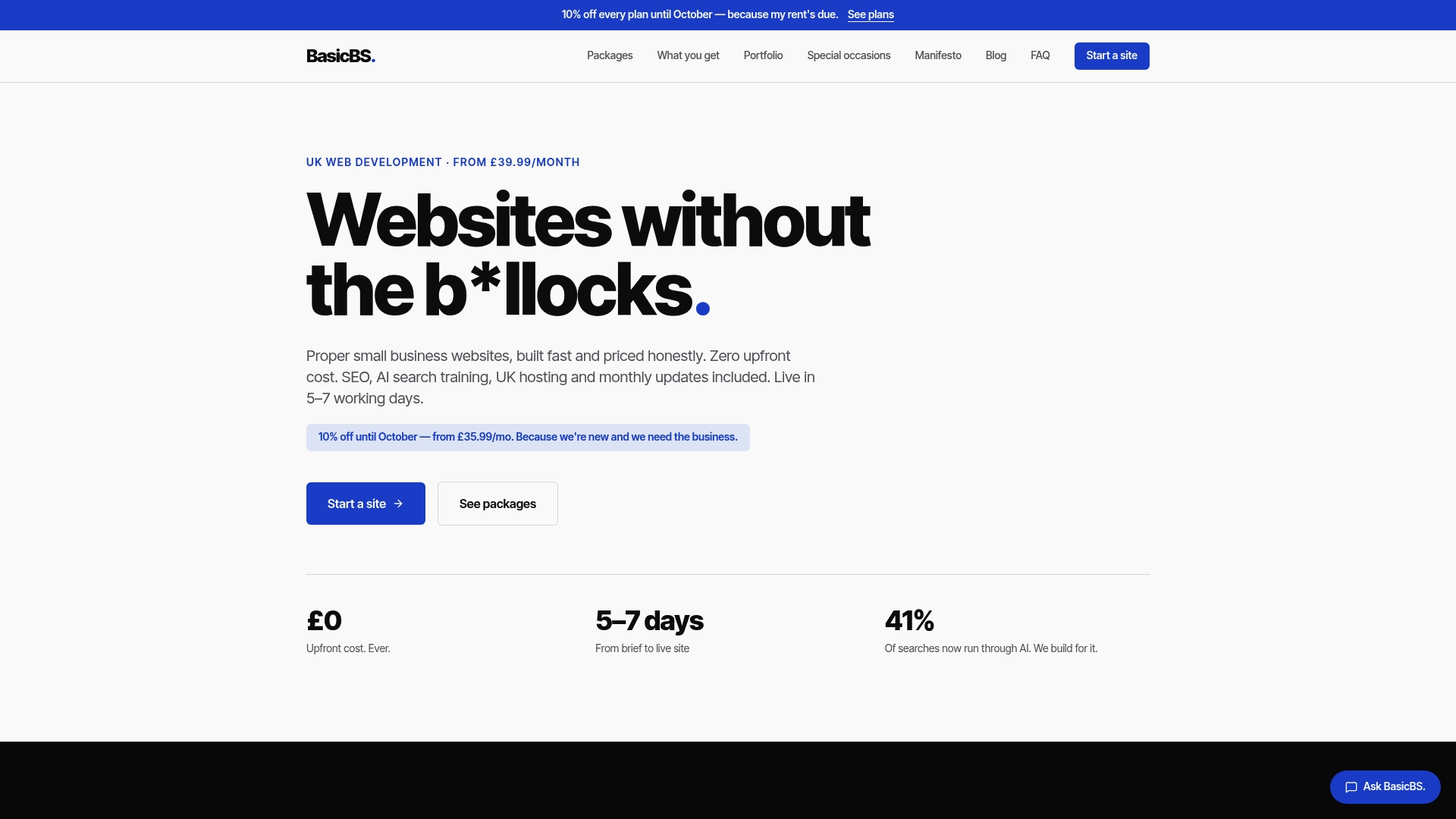
That covers everything a DIY build makes you sort out yourself: managed UK hosting, SSL, monthly updates, SEMrush-led SEO, and AI search training so your business actually shows up when customers ask ChatGPT or Google’s AI Overviews who to buy from locally. It’s built for sole traders, trades businesses, electricians, plumbers, builders and joiners who want a mobile-friendly quote page and a simple website that works, not a second job maintaining plugins. Sites go live in under two weeks, and after your first year you roll onto a cancel-anytime plan with a loyalty discount, because we’d rather reward you for staying than punish you with an eye-watering renewal bill the way some providers do.
If you’ve read this far weighing up Shopify vs WooCommerce and you’re still not sure either one is worth your time, check out our website design packages and see what a fixed, honest alternative looks like, or head to the BasicBS homepage to get a quote started today.
Sources
FAQ
How much does Shopify take from a $20 sale?
Shopify’s cut depends on your plan and whether you use Shopify Payments or a third-party gateway. Transaction fees apply on top of your monthly subscription unless you’re using Shopify’s own payment processing, so check the exact rate for your specific plan and payment method before pricing your products.
What is the main disadvantage of Shopify?
The biggest drawback is cost creep from apps and transaction fees, which can turn a simple monthly subscription into a much larger bill once you add the features most stores actually need. Deep customisation is also harder than on WooCommerce, since you’re working within a closed platform rather than open-source code.
Is Shopify still worth it in 2026?
Yes, for sellers who want a rapid launch with managed infrastructure and built-in checkout, Shopify remains a strong choice, particularly for first-time owners without technical experience. It’s worth it less for content-led brands or businesses trying to keep monthly costs to an absolute minimum.
What are the top ecommerce platforms for small businesses?
Shopify and WooCommerce dominate the conversation for good reason: one offers a hosted, managed experience, the other offers open-source control on WordPress. A growing third option for UK sole traders and trades businesses is a pay monthly website design service, which handles hosting, SEO and updates without requiring you to learn either platform.
Does BasicBS work as an alternative to Shopify or WooCommerce?
BasicBS is a website design and hosting service rather than an ecommerce platform, built for small businesses that want a simple, mobile-friendly website without managing either Shopify or WooCommerce themselves. Plans start at £10 a month with a one-off setup fee, and full details are listed on the BasicBS site.