From £25/month Website Maintenance Plans for UK Small Businesses

A website maintenance plan is a paid service that keeps your site secure, backed up, fast and able to take enquiries. For most UK small businesses, that means a human-reviewed plan with tested software updates, daily off-site backups, uptime monitoring and a named support contact you can actually ring. Anything less than that, and you’re paying for peace of mind you don’t actually have. Some providers build this baseline into their plans at low monthly fees, which we’ll get to.
TL;DR:
- Proper maintenance plans include tested software updates, off-site daily backups, security monitoring, uptime tracking, and clear content edit allowances.
- UK small businesses should verify providers demonstrate backup restore capabilities and clarify whether hosting and licences are included in the plan.
- Response times for support should be within 48 to 72 hours, with a named contact, and contracts should specify SLAs and backup policies in writing.
- Maintaining Core Web Vitals under 2.5 seconds load time, responsiveness under 200 milliseconds, and visual stability under 0.1 is essential for site performance.
- Security and compliance require timely patching within 14 days, tested backups, and adherence to privacy laws including active consent for cookies.
Table of Contents
- What does a website maintenance plan include?
- How much does website maintenance cost in the UK?
- How do I choose a maintenance plan or provider?
- What’s a simple website maintenance cadence to follow?
- Security, backups and UK compliance: what every plan should follow
- Why BasicBS makes managed maintenance simple and affordable
- Sources
- FAQ
What does a website maintenance plan include?
Right, let’s cut through the vague sales copy you’ll find on most agency websites. A proper website maintenance checklist covers both the boring technical stuff and the day-to-day content edits that keep your site useful.
Software updates. Your CMS, themes and plugins all need patching regularly, and every update should be tested on a staging copy before it goes live. A botched auto-update that breaks your booking form on a Friday afternoon is not “maintenance,” it’s a mess someone has to clean up.
Backups. You want daily backups stored off-site, not just sitting on the same server as your live site. A backup that’s never been restored is a theory, not a safety net.
Security monitoring. Malware scanning, firewall rules and alerts for suspicious activity should run continuously in the background.
Performance and uptime. This means checking your site is actually online and tracking Core Web Vitals like loading speed, so you know if pages are getting sluggish before customers notice.
Content edits. Small text changes, image swaps and minor fixes, usually with a monthly cap on hours.
Hosting and licences. This is where quotes get murky. Confirm whether hosting and premium plugin licences sit inside the price or arrive as a surprise invoice later.
- Tested updates (not just automated ones)
- Off-site daily backups with restore checks
- Malware scanning and firewall monitoring
- Uptime and performance tracking
- A defined monthly allowance for content edits
- Clear line on what’s included vs charged separately
Pro Tip: Ask any provider to show you a real backup restore, not just a screenshot of a backup log. If they can’t demonstrate it in five minutes, that’s your answer.
How much does website maintenance cost in the UK?
Here’s where the corporate mirrors come out and pricing gets deliberately fuzzy. Realistic UK bands, based on what most reputable providers charge, look roughly like this:
- Brochure sites: affordable monthly cost
- Business lead-generation sites: moderate monthly cost
- Ecommerce sites: higher monthly cost
- Business-critical sites (booking systems, high transaction volume): premium monthly cost
What pushes a site into a higher band? Custom code, ecommerce functionality, third-party integrations, more support hours, and tighter response time guarantees all add cost.
Watch for exclusions dressed up as “extras”: hosting fees on top of the plan, plugin licences renewed separately, and emergency out-of-hours callouts billed at eye-watering rates. Also check the contract length. A rolling monthly plan you can leave without penalty beats a 12-month lock-in every time, especially if the provider hasn’t earned your trust yet.
How do I choose a maintenance plan or provider?
Picking a provider isn’t about finding the cheapest number on a landing page. It’s about asking the right questions before you sign anything.
- How often are backups taken, and have they been restore-tested? Ask for proof, not a promise.
- Who manages hosting? If it’s a third party, find out who you call when something breaks.
- What are the SLA response times? For most SMEs, next-business-day acknowledgement and 48 to 72 hours for non-urgent fixes is reasonable. Anything vaguer than that is a red flag.
- What’s included versus charged hourly? Get the dev rate in writing before you need it in a panic.
- Is there a named contact, or a ticket queue that vanishes into the void?
Red flags worth walking away from: automation-only updates with zero human testing, no restore tests ever mentioned, and unclear ownership of hosting or licences buried in small print.
Insist on daily off-site backups, a named support contact, a documented change log, and a clear escalation path when things go wrong, as explained in AV Technical Support and Event Production Support in Leeds. If a provider can’t commit to those in writing, they’re not offering a plan, they’re offering a hope.
Pro Tip: Get the SLA and backup policy in the contract itself, not just mentioned on a call. Verbal promises don’t help you when your site’s down on a Sunday.
What’s a simple website maintenance cadence to follow?
You don’t need a PhD in IT to run sensible checks. Here’s a copyable cadence for you or your provider.
Weekly:
- Confirm uptime (no unexpected downtime)
- Test the contact or quote form actually sends
- Run a quick malware scan
- Check last night’s backup completed successfully
Monthly:
- Apply and test software updates
- Review Core Web Vitals and analytics for slow pages or traffic drops
- Generate a short report you can actually read in two minutes
Quarterly:
- Full backup restore test, not just a log check
- Accessibility and privacy review
- Inventory of plugins, integrations and licences still in use
Keep a simple change log, even a shared spreadsheet, noting what changed and when. It sounds basic because it is basic, and that’s exactly why it works when handing over between an in-house team and an external provider.
Security, backups and UK compliance: what every plan should follow
Here’s what most maintenance providers won’t tell you upfront: security and compliance aren’t optional extras you bolt on later, they’re the whole point of paying for maintenance in the first place.
The NCSC recommends applying critical or high-risk updates within 14 days of release. That’s not a suggestion, it’s the difference between a patched vulnerability and an open door. Cyber Essentials builds this into five control themes, including security update management and restore-tested backups, which gives you a practical benchmark to hold any provider against.
On backups, NCSC guidance is blunt: keep online and offline copies, protect backup accounts with two-step verification, and actually practise restoring them before you’re in a crisis. A backup you’ve never tested is a guess dressed up as a safety net.
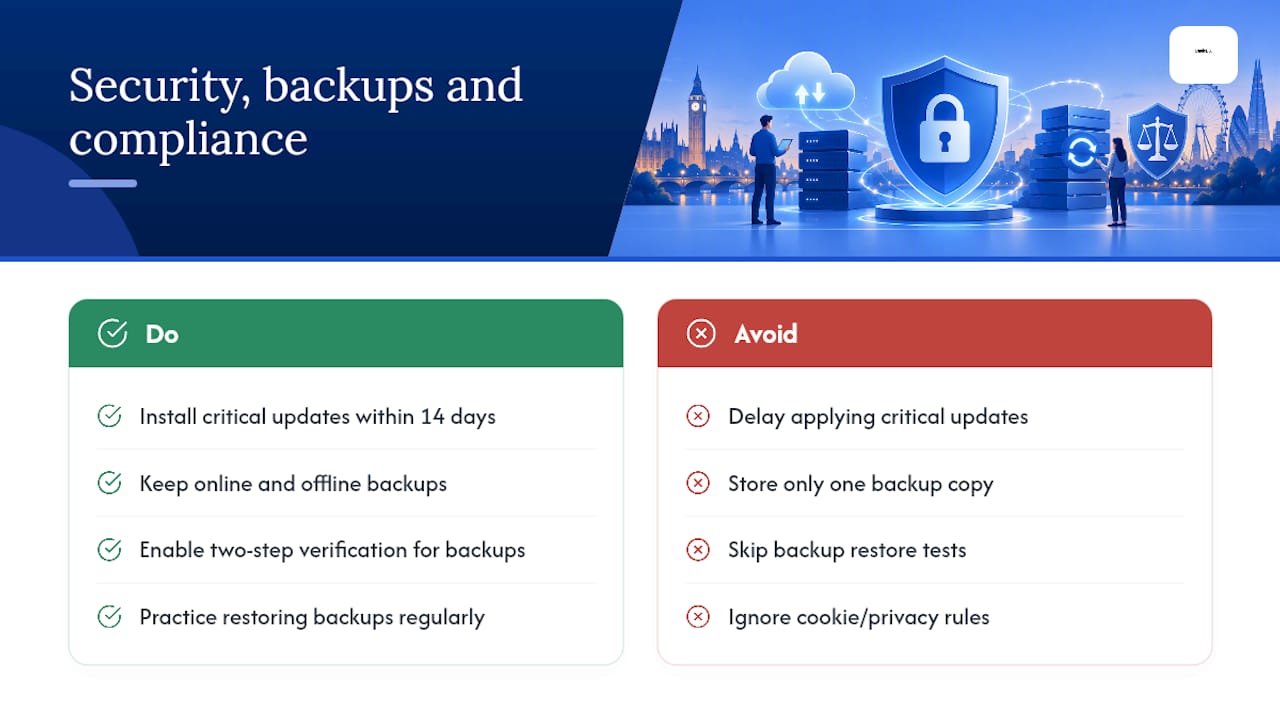
If your site collects personal data, ICO guidance requires a clear privacy notice and active consent for non-essential cookies. That’s not scaremongering, it’s the law, and roughly 68% of UK businesses now have a website, so this applies to more businesses than most owners assume.
Finally, Core Web Vitals give you field-measured performance targets, loading under 2.5 seconds, responsiveness under 200 milliseconds, visual stability under 0.1, and any decent plan should be tracking these, not guessing at them.
— Rhys
Why BasicBS makes managed maintenance simple and affordable
There are alternatives to traditional agencies for website maintenance in the UK: plans with no upfront fee, straightforward contracts, and monthly fees for transparent web design pricing small businesses can understand.
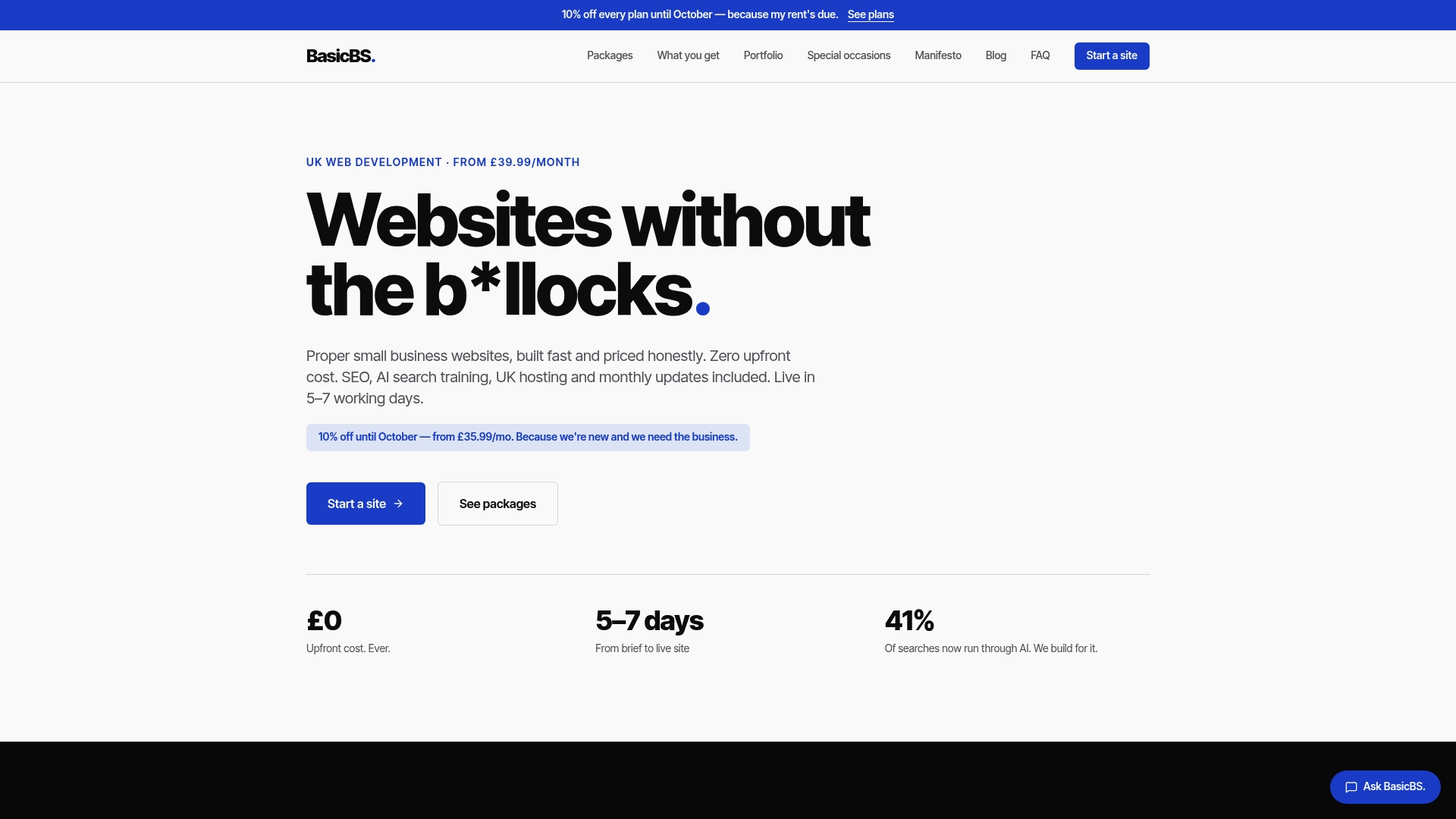
Not every web design or maintenance provider is clear about hosting fees or contract terms. Every BasicBS plan covers the baseline this whole guide has been banging on about: tested updates, off-site backups, monitoring, and a real named contact when something needs fixing. Whether you’re after a simple website for sole trader use, a mobile friendly quote page for trades, or a proper website builder for builders and joiners, some providers aim to go live within a week and include managed hosting, SSL, and regular updates. If you’ve been burned by cheap web design before, have a read of why cheap website development fails and what to insist on instead. Ready to see it in action? Browse the website examples and services and get a straight-up quote today.
Sources
- Small organisations guide to cyber security (NCSC)
- Web
- Cookies and privacy notices in detail (ICO)
- Gov
FAQ
What are the 7 C’s of a website?
There’s no single official “C’s” standard, definitions vary depending on the source, but versions commonly cover content, context, commerce, community, customisation, communication and connection. For maintenance purposes, the practical takeaway is that your content and commerce elements need regular review alongside the technical checks covered above.
How much does it cost to pay someone to maintain a website?
UK pricing typically runs from £25 to £75 a month for brochure sites, £75 to £150 for business lead-generation sites, and £150 to £400 or more for ecommerce and business-critical sites, based on typical market pricing. Some plans start from a low monthly fee and include hosting, SSL, and monthly updates.
What should a maintenance plan include?
At minimum, a plan should cover tested software updates, daily off-site backups with restore checks, security monitoring, uptime and performance tracking, and a set allowance for content edits. Always confirm whether hosting and premium plugin licences are included or billed separately.
How do I do basic website maintenance myself?
Run a weekly check that your site is online, your contact form works, and backups completed successfully, then apply and test software updates monthly. For anything involving security patching or restore testing, following NCSC guidance closely is worthwhile, since a mishandled update can do more damage than the vulnerability it was meant to fix.